First Out AI user guide
What each plan gives you, how to verify your first function in five minutes, and where everything is. The example below runs on the free plan, so you can follow it before buying.
What you get on each plan
Every plan runs the same engine. The plans differ in which calculations are unlocked, how many people can work on a licence, and the support that comes with it.
- Freeno sign-up1oo1, 1oo2 and 2oo3 with a perfect proof test; PFDavg and the Route 1H band; a PDF summary. Enough to try the example and your own simple functions.
- Pro$59 a month or $590 a yearFirst Out AI with 300 questions a month, all voting, proof test coverage, mission time, partial stroke tests, PFH, all three SIL checks, spurious trips, LOPA, risk matrix and graph, SRS and proof test drafts, Excel and PDF, saved projects, 2 questions to the engineer a month.
- Project Pass$490 for 90 daysEverything in Pro for three users on one project, single payment, 3 questions a month.
- Team$2,490 a yearEverything in Pro for five users, HAZOP worksheet and cause & effect, shared projects, pay by invoice, 6 questions a month.
Your first function in five minutes
Four steps on the free plan. Open each step for the details.
1Open the example and calculate
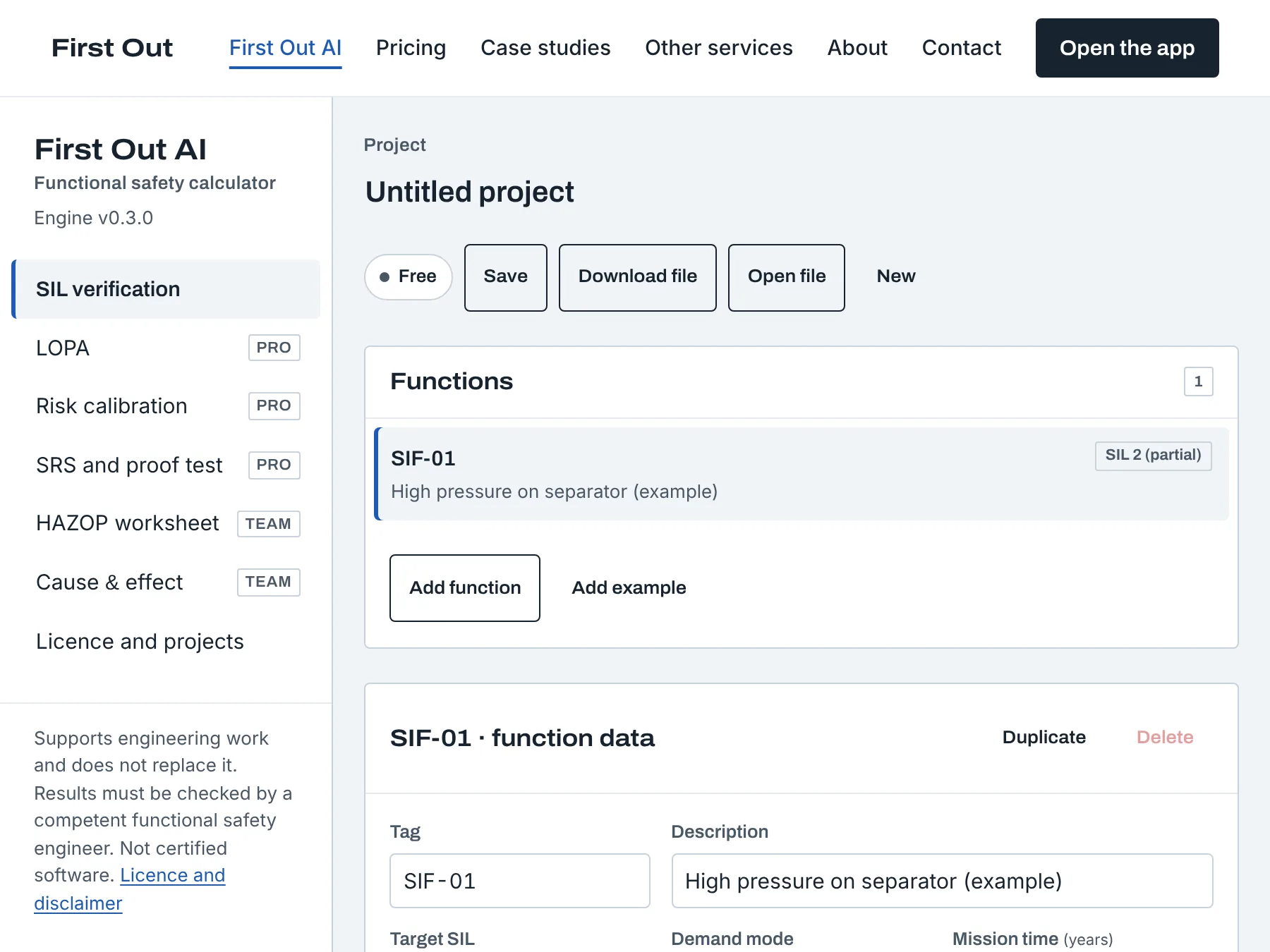
Open First Out AI with the example. The function "High pressure on separator" has three subsystems in series: two pressure transmitters voted 1oo2, a safety PLC, and a shutdown valve. Every value is marked as an example; the failure rates are illustrative and not taken from any certificate or database.
Press Calculate. The engine runs on the server and returns the result in about a second.
Working without the example: press Add function, give it a tag and a target SIL, then fill the three groups. Failure rates are entered per hour (for example 3e-7) with the source of each value, so the report can show where every number came from.
2Read the three checks
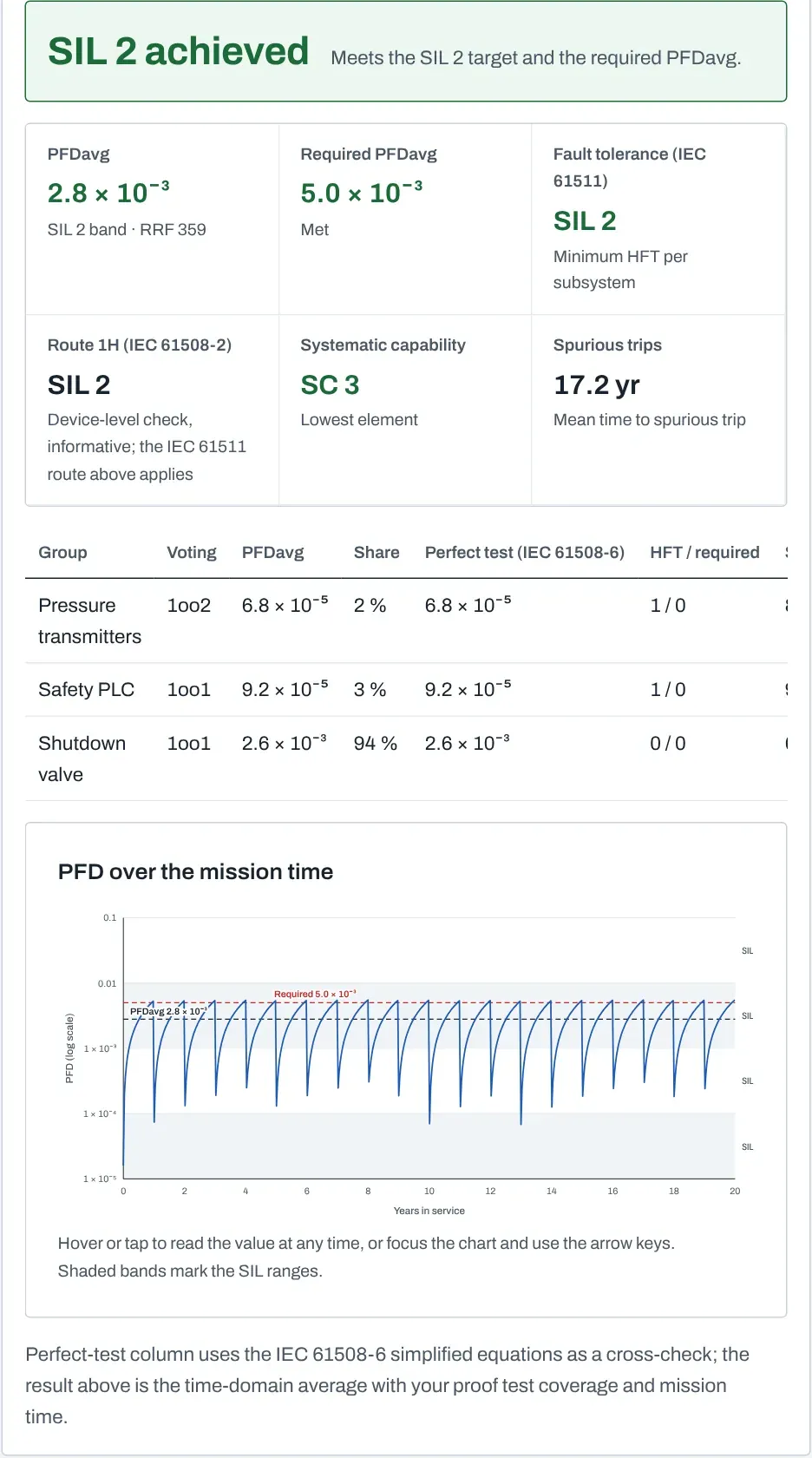
The verdict shows whether the function meets its target SIL, and why. On the free plan you see the probability check and the Route 1H band; Pro adds IEC 61511 fault tolerance, systematic capability and the spurious trip rate.
- PFDavg: the average probability of failure on demand over the mission time, per subsystem and for the whole function, with the SIL band it falls in and the risk reduction factor.
- Fault tolerance: the number of dangerous faults each subsystem tolerates against the minimum for the target SIL.
- Systematic capability: every element's rating against the target SIL; the lowest element limits the function.
Under the verdict, the table lists each subsystem with its contribution, so you can see which one dominates. The PFD chart shows how the probability rises between proof tests. Hover or use the arrow keys for values.
3Change how the function is tested
In the shutdown valve group, change the proof test interval from 1 year to 2 years and calculate again: PFDavg roughly doubles for that subsystem. On Pro, lower the proof test coverage from 100 % to 70 % and watch the untested share accumulate over the mission time; this is the effect that moves many functions out of their SIL band.
Other inputs you can change per group: voting (M out of N), diagnostic coverage through the detected failure rates, common cause factors β and βD, repair time, mission time, element type A or B, and systematic capability.
Every input has a note field for its source. Fill it in: the report prints it, and your reviewer will ask for it.
4Export and keep
Print report opens a print view for PDF with every input, formula and result. Excel (Pro) exports the inputs and results as a workbook. Download file saves the whole project as a file you can open again on any computer; Save (Pro) keeps it on the server, where members of a Team or Project Pass licence can open it too.
The free plan keeps the project in your browser only. Download the file if you want to keep it.
The other modules
Each one works from the same project, so a function defined once is used by LOPA, the documents and the cause & effect matrix.
AIAsk First Out AI
Under every result there is an Ask First Out AI panel. Pick a question (Where is my mistake? Which input looks unrealistic? What is the cheapest way to improve this function?) or write your own. First Out AI reads the inputs and the engine result of that function and answers in a few lines: which subsystem drives the result, which value to check, and what to try next in First Out AI.
The engine computes every number; the AI only explains and checks. Answers come from Claude (Anthropic) and can be wrong, so check them before use. Pro and Project Pass include 300 questions a month and Team 1,500; a top-up of 500 questions costs $9. If the allowance is used or the AI service is down, calculations keep working and the panel tells you how to reach us.
Free shows an example answer in the same place, so you can see what the AI does before you buy.
ProLOPA and risk calibration
Add a scenario, enter the initiating event frequency, the tolerable frequency and the protection layers with their probabilities of failure; First Out AI gives the required risk reduction and the target SIL, and writes the required PFDavg into the linked function so the verification checks against it. Risk calibration lets you enter your company's risk matrix or risk graph so the determination uses your criteria, not the tool's.
ProSRS and proof test drafts
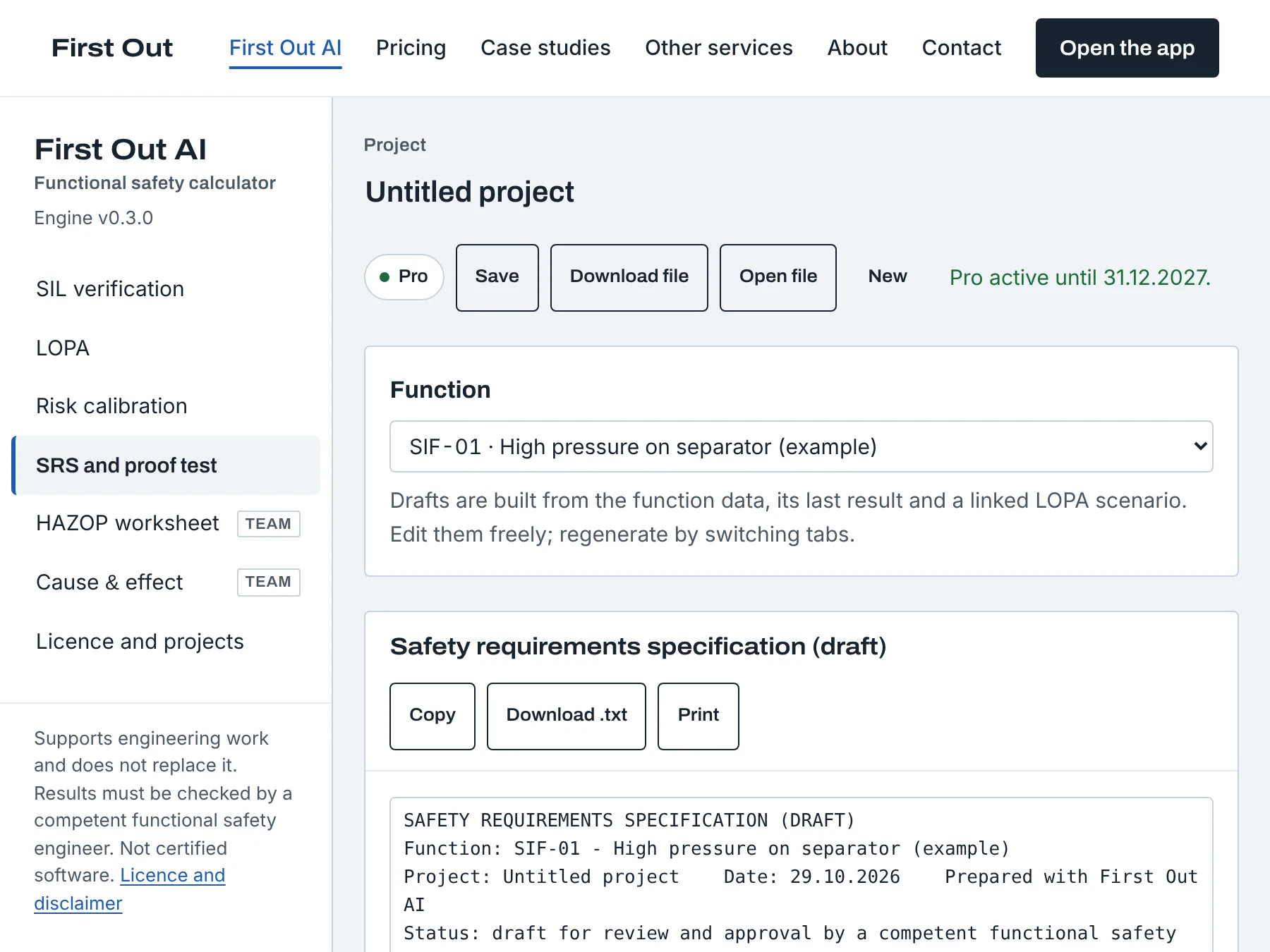
The specification fields on each function (safe state, setpoint, response time, reset, bypass) feed a safety requirements specification draft and a proof test procedure draft per function. Both export to Excel and print to PDF; they are starting points to complete in your own template, not finished documents.
TeamHAZOP worksheet and cause & effect
The HAZOP worksheet records nodes, deviations, causes, consequences, safeguards and actions, and exports to Excel. The cause & effect matrix links causes to the functions and effects already in the project and exports to Excel.
Licence, members and support
Everything about your plan is under "Licence and projects" in the app.
KeyYour licence key
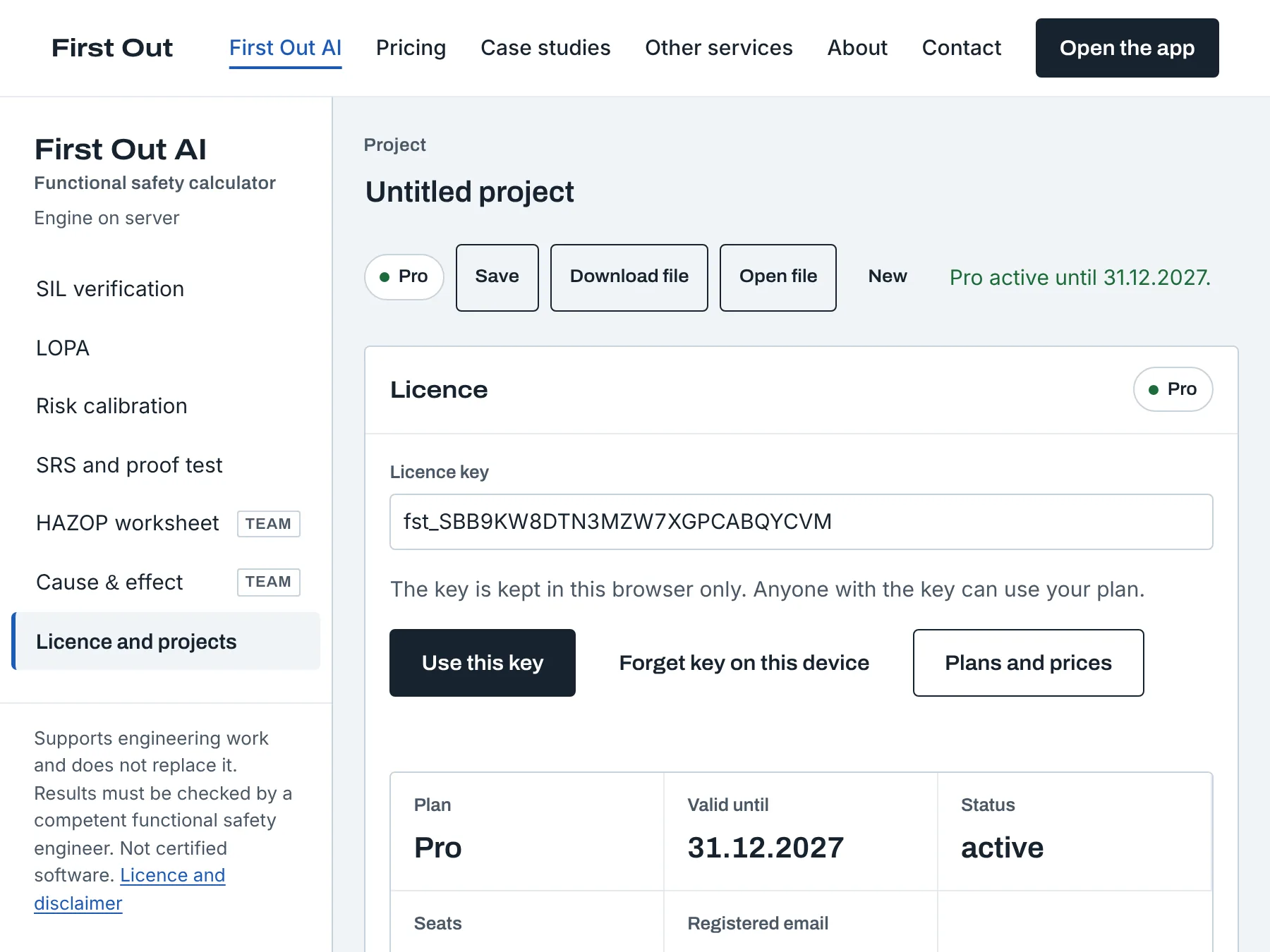
After payment, the key appears on the checkout page once and is emailed to you. Paste it under "Licence and projects" and press Use this key; the plan badge in the header changes and the locked modules open. The key is saved in that browser only.
Lost the key? Lost your key? sends a one-time link to the licence email; opening it issues a new key and the old one stops working.
Team and Project Pass owners create member keys with a name for each colleague. Members share the saved projects and the question allowance; the owner can remove a member at any time.
AskQuestions to the engineer
Paid plans include questions each calendar month: Pro 2, Project Pass 3, Team 6. Write the question under "Ask the engineer" in the licence tab; Ali Telek answers by email within three working days, and the answer also appears in the app. Questions are about methods and about using First Out AI, for example how to model a partial stroke test or which failure rate applies. They are not a review of your project; for that, ask for a fixed-scope review.
DataWhere your data goes
Calculation inputs are sent to the server for the result and not stored. Projects are stored only when you save them on the server, and are deleted 180 days after a licence ends. The project file you download stays with you. Details in the privacy notice and the licence terms.
HelpSomething does not work
"Could not reach its calculation server": your network blocks api.firstout.ai or the connection dropped; the quick check on the First Out AI page works offline. "This needs the Pro plan": the function uses a feature outside the free plan; the message lists what. Anything else: contact@firstout.ai with the project file attached if you can share it.